Test Clerk email verification with Playwright
Clerk supplies the sign-up form and sends the verification email. A successful signup with Clerk’s fixed development code can still pass when your users never receive a message. This example runs both paths against a Next.js app. The live test creates a MailSlurp inbox, enters the six digits found in its message, and checks the verified primary email on a server-rendered account page after reload.
Setup
- Install Node.js 22.13 or newer. Use a dedicated Clerk development instance configured for sign-up with an email address and email verification code. The example supports an optional password field. Leave additional required profile fields off for this sample.
-
From this directory run:
npm ci npx playwright install chromium cp .env.example .env.local - Set
NEXT_PUBLIC_CLERK_PUBLISHABLE_KEYandCLERK_SECRET_KEYto development keys from the same application. Alternatively,npx -y clerk@latest init --framework next --accountless --no-skillscan provision development keys locally. Keep the resulting.clerk/directory and.env.localprivate. AddMAILSLURP_API_KEYto that file for the real-email test. Use a MailSlurp account that can create, read, and delete inboxes. -
Run one or both paths:
npm test -- --grep 'reserved test'
npm test -- --grep 'real signup'
npm test
Playwright starts the app at http://localhost:4192. To try it manually, start npm run dev and visit /sign-up.
What the assertions prove
Both tests try the protected /account route as a guest. Clerk’s signup component opens. The reserved identity uses Clerk’s documented fixed code. The real signup records the submit time, waits for a message in its own inbox, extracts the six digits, and enters them into the same form. Neither test creates a session through an admin sign-in shortcut.
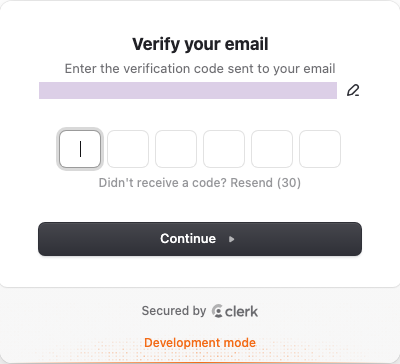
After reload, the server calls currentUser(). Playwright verifies both the exact primary email and its verified status. A redirect to the account page alone would miss a wrong identity. See the test and server-side account page.
The live test deletes its inbox. Both paths create users in your Clerk development instance. Development email-recipient limits apply to real email. If you enable a required username, phone, or other field, adapt the test to the form you actually show.